

Download Pixel Force Halo – Halo, 8-bit, retro, platformer, 2D, Contra, classic, Nintendo, nostalgia, shooter
Overview
Pixel Force Halo is a 2D platformer that reimagines the iconic Halo universe through a nostalgic 8-bit lens. Designed for fans of retro gaming and classic side-scrolling shooters, the app delivers a playful yet challenging experience rooted in the golden age of arcade and console titles. The game channels the spirit of franchises like Contra and classic Nintendo platformers, blending fast-paced action with pixel-perfect visuals. Players assume the role of a warrior navigating through diverse, enemy-filled levels, utilizing jumping, shooting, and weapon-switching mechanics to progress. Its core purpose lies in offering a lighthearted homage to the Halo saga while delivering the kind of short, intense gameplay sessions that define the 8-bit era.
Target users include retro gaming enthusiasts, Halo fans seeking a fresh take on the franchise, and casual mobile gamers looking for a nostalgic, bite-sized adventure. The app’s lightweight design and free access make it accessible to a broad audience. Real-world use cases include quick play sessions during breaks, travel, or as a way to relive classic gaming aesthetics. In the mobile app ecosystem, Pixel Force Halo occupies a niche space—bridging retro nostalgia with modern mobile accessibility. It stands out as a minimalist yet evocative tribute to a beloved series, proving that impactful gaming experiences don’t require cutting-edge graphics or complex mechanics.
Key Features & Functionality
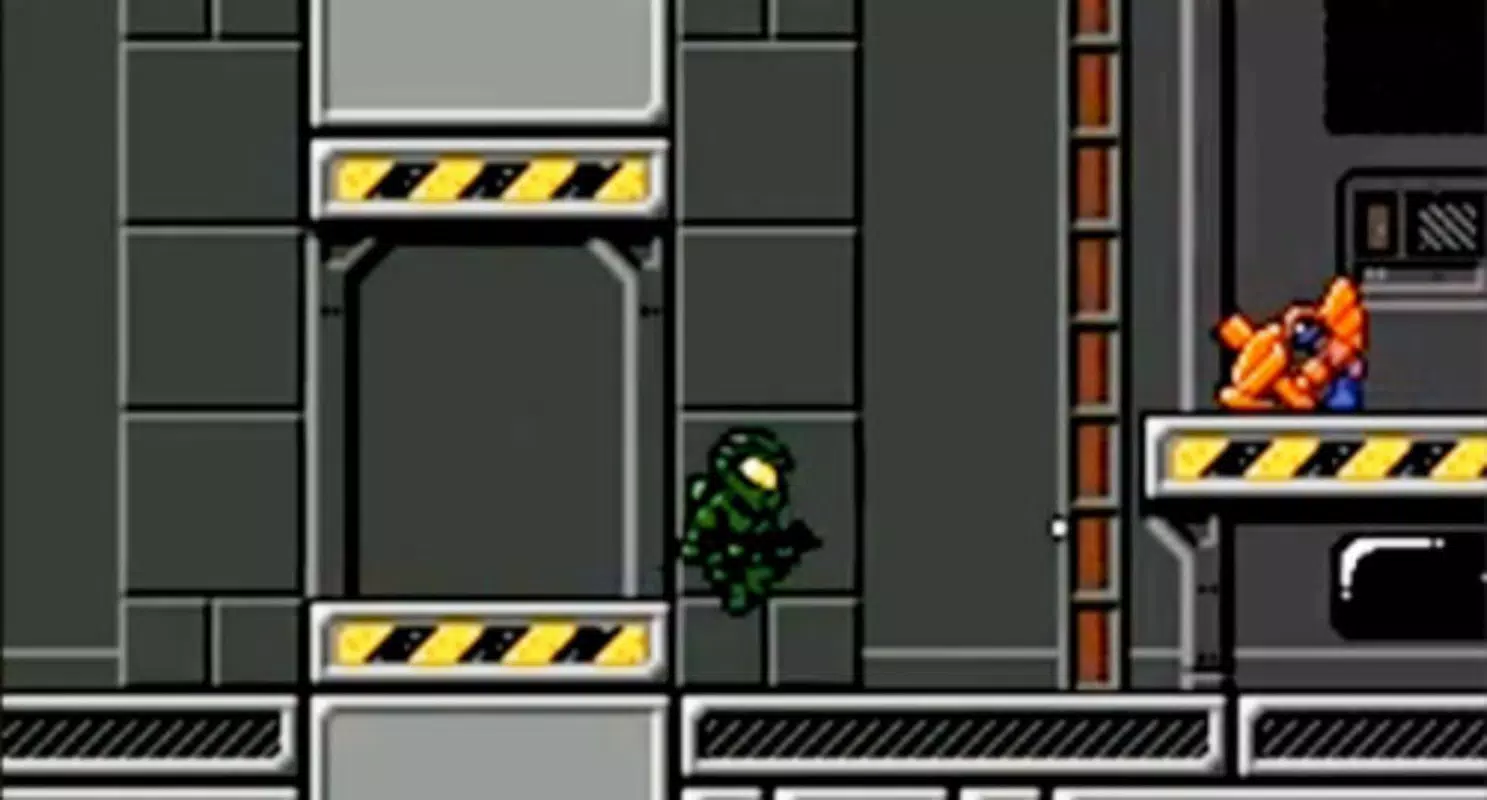
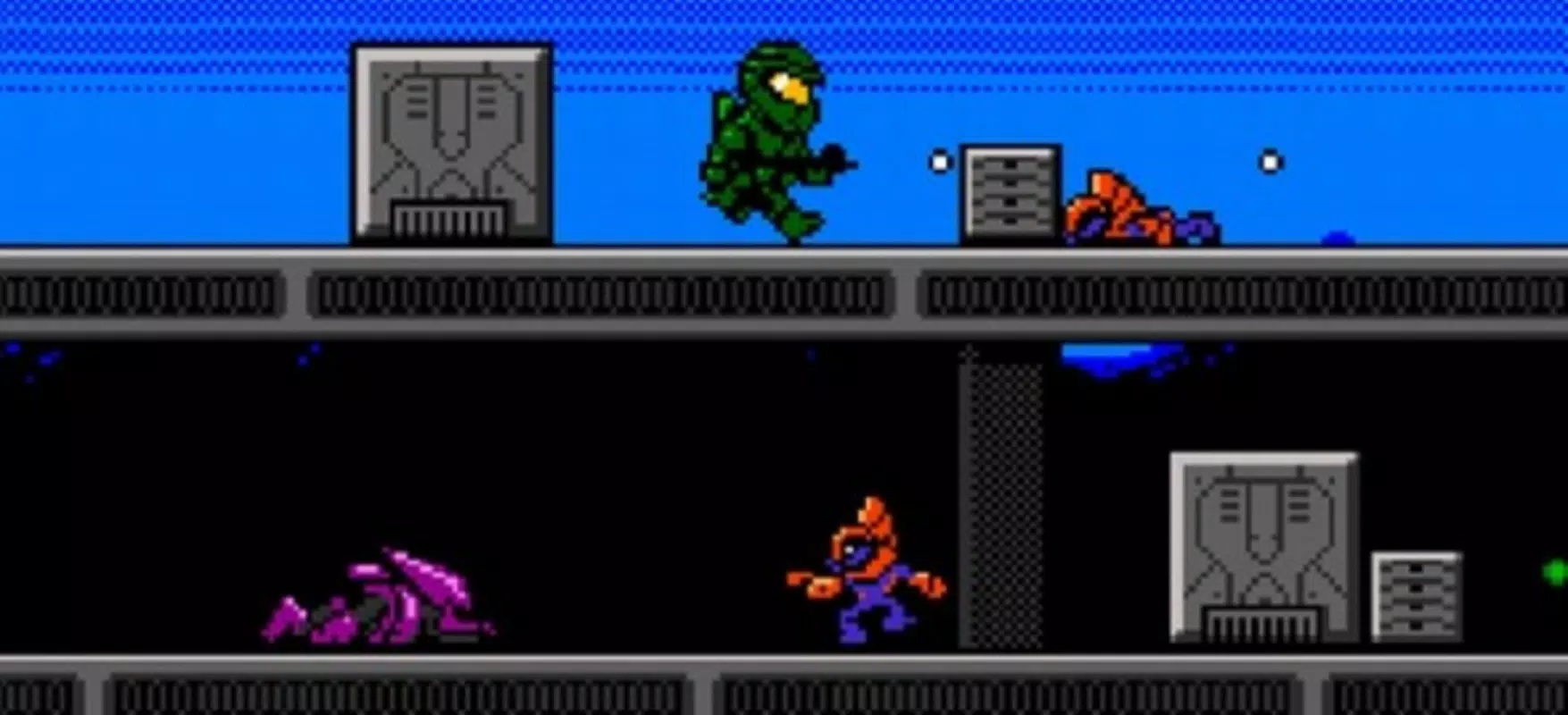
- 8-Bit Visual Aesthetic: The game employs a meticulously crafted 8-bit pixel art style that pays homage to classic Nintendo titles. Every enemy, background, and character is rendered with deliberate detail, enhancing the retro atmosphere and appealing to fans of old-school platformers.
- Classic Side-Scrolling Gameplay: Players control a character through linear, level-based progression, relying on precise jumping and shooting mechanics. The gameplay mirrors the rhythm of 1980s and 1990s shooters, offering intuitive controls and a focus on reflexes and timing.
- Weapon Variety and Switching: The app includes multiple weapon types that can be swapped during gameplay, allowing players to adapt to different enemy types and environmental challenges. This mechanic adds strategic depth to otherwise fast-paced encounters.
- Familiar Halo-Inspired Levels: While not a direct adaptation, the game incorporates recognizable environments and enemy designs from the Halo universe, creating a sense of connection for fans. These nods to the franchise enrich the experience without requiring prior knowledge of the series.
- Progressive Difficulty Curve: Enemy encounters escalate in intensity as players advance through levels. Early stages introduce basic foes, while later sections demand improved precision and tactical use of weapons and movement.
For example, a player might start on a forested planet with simple Grunts, then progress to a high-tech base filled with multiple enemy types requiring rapid weapon changes and coordinated jumps. This progression keeps gameplay dynamic and engaging across multiple sessions.
Interface, UX & Performance
The user interface of Pixel Force Halo is clean and purpose-built for mobile play. The HUD displays essential information—health, weapon type, and score—without cluttering the screen. Navigation is straightforward, with on-screen controls optimized for touch input, allowing for smooth movement and shooting. The layout prioritizes gameplay visibility, ensuring that players can focus on action without distraction.
Visual style remains consistent throughout, with vibrant color palettes and smooth sprite animations that enhance the retro feel. The game’s responsiveness is generally strong, with minimal lag during movement and shooting sequences. Although the developer did not list formal performance metrics, the app’s small file size of 12.3 MB suggests efficient resource usage, likely contributing to stable performance on mid-range Android devices.
Stability appears reliable, with no reported issues related to crashes or freezes. The game maintains consistent frame rates during standard play, supporting long sessions without significant battery drain. While no specific device compatibility was provided, the lightweight design indicates broad accessibility across various Android smartphones and tablets.
Platform Compatibility & Technical Requirements
Pixel Force Halo is available exclusively on the Android platform. The app is compatible with Android devices running a version that supports the app’s requirements, though specific minimum OS versions were not listed by the developer. The file size is 12.3 MB, which is compact and suitable for devices with limited storage.
Given the app’s release date of January 21, 2011, it was designed for early Android ecosystems. While it may function on modern devices, compatibility with the latest Android versions cannot be confirmed without official updates. Users should be aware that older apps may experience compatibility issues or missing features on newer systems.
Pros and Cons
- Lightweight file size (12.3 MB) ideal for low-storage devices
- Free to download and play with no in-app purchases
- Authentic 8-bit aesthetic appealing to retro gaming fans
- Simple, intuitive controls suitable for casual and experienced players
- Strong nostalgic value for Halo and classic platformer enthusiasts
- Outdated design may not appeal to modern mobile gamers seeking high-definition graphics
- No official updates since 2011; potential compatibility issues on newer Android versions
- Limited content with only a few levels and weapon types
- No multiplayer or save features reported
- Developer did not provide additional technical details or support information
FAQ
Is Pixel Force Halo free to download?
Yes, the app is available at no cost. It does not require payment or in-app purchases to access core gameplay features.
Can I play Pixel Force Halo on iOS devices?
Currently, the app is only available on Android. There is no official iOS version listed by the developer.
Does the game require an internet connection?
No, Pixel Force Halo operates entirely offline. All gameplay, levels, and features are accessible without an internet connection.
Is the game safe to install?
Yes, the app is free and available through official Android channels. As with any downloaded app, users should ensure they install from trusted sources to maintain device security.
Will the game receive future updates?
There is no public information indicating future updates. The last release was in 2011, and no official update history has been shared by the developer.
Final Thoughts
Pixel Force Halo stands as a charming tribute to the Halo franchise and the golden age of 2D platformers. Its 8-bit aesthetic, simple yet engaging gameplay, and nostalgic charm make it a unique entry in the mobile gaming landscape. While it lacks modern features like multiplayer, cloud saves, or high-resolution visuals, its strengths lie in its authenticity and accessibility. For fans of retro games or those seeking a brief escape into classic gaming mechanics, this app delivers a satisfying experience.
Despite its age, the game remains a functional and enjoyable tool for casual play. Its free model and minimal system requirements ensure broad reach across Android devices. While newer players may find the visuals dated, the core gameplay loop remains rewarding for those who appreciate simplicity and challenge.
Download Pixel Force Halo now


